

How to Choose a Driver Shaft for Accuracy
Table of Contents
- Why Driver Shaft Selection Matters for Accuracy
- Understanding Driver Shaft Flex and Your Swing Speed
- Driver Shaft Weight Guide for Control and Consistency
- How Driver Shaft Length Affects Accuracy and Strike Location
- Signs Your Driver Shaft Is Too Stiff for Your Swing
- Torque and Kick Point: How They Shape Ball Flight
- Testing and Comparing Shafts Fairly
- Frequently Asked Questions
Last Updated: October 21, 2026
Why Driver Shaft Selection Matters for Accuracy
The shaft is the engine of your golf club. Choose the wrong one and you're fighting physics on every shot; the right one tightens dispersion, improves contact and sharpens feel through impact.
Learning how to choose a driver shaft for accuracy means hitting it straighter, more often. A shaft matched to your swing speed and tempo delivers energy efficiently, giving predictable ball flight instead of wild distance and direction swings.
At Prime Golf Shafts, we build custom shafts for golfers who refuse to compromise. The difference between a stock shaft and a properly matched one shows up immediately: tighter groupings and more fairways hit.
Understanding Driver Shaft Flex and Your Swing Speed
Shaft flex is how much the shaft bends during your swing. It's the single most important specification you'll choose. Get this wrong and everything else falls apart.
Flex profiles: R, S, and X explained
Regular (R) flex suits moderate swing speeds. It loads smoothly and promotes higher launch with less effort.
Stiff (S) flex suits faster swing speeds, typically 85-100 mph. It resists bending more than R flex, so you keep control under load and get a more penetrating flight and tighter dispersion.
Extra Stiff (X) flex is for strong players above 100 mph. The shaft barely flexes, delivering maximum stability for aggressive transitions. The trade-off is feel: X flex demands a clean strike for optimal flight.

The R&A equipment standards define shaft specifications that govern professional play, and these flex categories are the foundation of shaft fitting across the industry.
How to measure your swing speed accurately
You can't guess your swing speed. Visit a launch monitor facility: systems like TrackMan or FlightScope measure clubhead speed precisely, plus ball speed, launch angle and spin rate. No launch monitor? Many golf shops offer fitting sessions where a qualified fitter records your speed.
Here's what to measure:
- Swing speed with your current driver
- Consistency across multiple swings (does your speed vary by 10 mph or stay tight?)
- Your natural tempo (smooth, rhythmic, or aggressive?)
Swing speed alone doesn't determine flex. A smooth 90 mph swing may suit S flex better than a jerky 90 mph swing. The shaft needs to match both your speed and your tempo.
Driver Shaft Weight Guide for Control and Consistency
Shaft weight is the second most influential spec after flex, and for accuracy it often matters more because weight changes how you feel the club throughout the swing. Driver shafts commonly range from about 50 grams to 80 grams, with most stock options between 55 grams and 65 grams.
How weight changes your swing
A heavier shaft increases club mass, smoothing tempo and slowing transition, which can improve strike consistency. A lighter shaft helps generate clubhead speed but may encourage a quicker, less repeatable transition if your tempo is already fast.
The trade-off isn't simply heavy equals accurate and light equals fast; it depends on tempo and how you load the shaft. Fitters commonly see smooth, rhythmic transitions control a mid-weight shaft (around 65-70 grams) best, while aggressive transitions find more consistency at 70-80 grams because the added mass resists unwanted hand action.
Weight ranges and what they tend to suit
| Uncut shaft weight | Typical swing profile | Accuracy consideration |
|---|---|---|
| 50-55 g | Moderate speed, smooth tempo | Can add speed but may feel loose if transition is quick |
| 60-65 g | Broad middle ground | Often the easiest starting point for accuracy testing |
| 70-75 g | Faster speed, quicker tempo | Promotes stability but demands more effort to accelerate |
| 80 g+ | Strong, aggressive transition | Maximum control for some, but can cost ball speed for others |
These ranges are starting points, not prescriptions. Two golfers with the same swing speed can respond very differently to the same weight because tempo and release pattern differ.
Testing weight for accuracy
To test weight properly, keep flex, length and clubhead constant and change only shaft weight. Hit at least 10 shots per weight and record strike location, lateral dispersion and carry distance. The weight with the tightest strike pattern and smallest left-to-right spread is usually the better accuracy choice, even if another carries a few yards further.
One warning: weight and swing weight interact. Adding shaft weight without adjusting head or grip weight can confound your test, so ask the fitter to match swing weight across test clubs.
How Driver Shaft Length Affects Accuracy and Strike Location
Driver length is measured from the heel to the top of the grip; standard is 45.75 inches. Many golfers play 46-47 inches chasing distance, but longer shafts are harder to control. Length affects swing speed potential and strike consistency: a longer shaft creates more clubhead speed but makes the club harder to square at impact.
Taller golfers may need longer shafts and shorter golfers benefit from shorter ones, but the best approach is to test different lengths and measure strike location on a launch monitor to see whether contact improves.
Signs Your Driver Shaft Is Too Stiff for Your Swing
If your shaft is too stiff, you'll see specific signs in your ball flight and feel.
Prime Graphite Shaft | X Flex →
Low ball flight with high spin is the clearest indicator: the shaft isn't loading enough to generate proper launch, costing distance.
Inconsistent contact happens because a too-stiff shaft doesn't flex when you need it to, so timing must be perfect every swing.
Dead feel through impact is another clue, the shaft feels rigid and unresponsive, giving no feedback.
If you're seeing any of these, test a flex one step softer. The difference in feel and results can be dramatic.
Torque and Kick Point: How They Shape Ball Flight
Torque measures how much the shaft twists during your swing. Higher torque (3.5-4.5 degrees) promotes higher launch and softer feel; lower torque (2.0-3.0 degrees) resists twisting for a more stable, penetrating flight.
Kick point is where the shaft flexes most.
The two work together: high torque plus low kick point launches higher and softer for slower swingers, while low torque plus high kick point delivers a lower, more controlled flight for faster swingers.
The PGA of Great Britain and Ireland equipment guidance emphasises that shaft specifications directly influence shot consistency and ball flight characteristics.
On a launch monitor, you'll see how torque and kick point affect your numbers:
- Launch angle
- Spin rate
- Ball flight shape (draw, fade, straight)
- Carry distance
Testing different profiles reveals which combination gives you the tightest dispersion and most repeatable ball flight.
Testing and Comparing Shafts Fairly
Most shaft advice stops at flex, weight and torque, but understanding how to choose a driver shaft for accuracy requires a testing process that isolates the shaft from your swing. The gap that matters for accuracy is process: how to test shafts so the result reflects the shaft and not your swing, the clubhead, the ball or a few lucky shots.
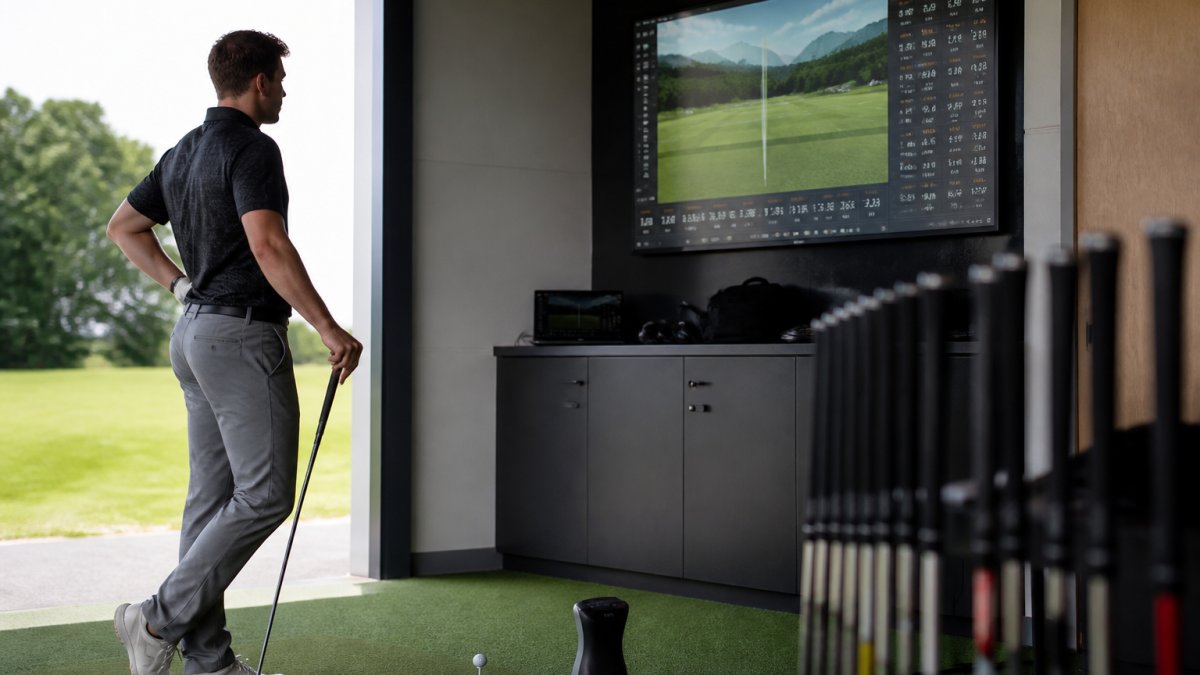
Control the variables
A fair comparison changes one thing at a time. Keep the clubhead model and loft constant, use the same ball, set up the same way, and test on the same day in similar conditions. Wind, temperature and fatigue affect ball flight, so test in one session and take breaks.
Measure dispersion, not just distance
Accuracy is about where the ball finishes, so the primary metrics are lateral dispersion and strike location, not carry distance. On a launch monitor, record carry and total distance, lateral dispersion, strike location, launch angle, spin rate, face-to-path and club path if available, and ball speed and smash factor. A shaft producing a tight cluster around the target line is doing its job even if another is longer. Use at least 10-20 shots per shaft so one outlier doesn't distort the pattern; the narrower pattern is the more accurate shaft for you.
Separate shaft effects from swing and clubhead effects
A shaft change cannot reliably fix every slice or hook. If your face-to-path is consistently open or closed, the shaft may change feel and strike but won't correct a swing pattern. Before blaming the shaft, check whether dispersion comes from strike location, face angle or path. To isolate the shaft, use the same clubhead and ball and compare face-to-path and strike location across shafts: if those stay similar while dispersion improves, the shaft is helping through weight, flex or bend profile; if face-to-path changes dramatically, the shaft may be influencing your swing unrepeatably.
A no-fitting decision process with clear limits
Without a launch monitor or fitter, you can still decide cautiously on the range: test one variable at a time, use a consistent ball, and track where shots finish relative to a target. Hit at least 20 shots per shaft and note the pattern, not the best shot. Flex charts and yardage shortcuts ignore tempo, release and strike pattern, so treat them as a starting point and let your dispersion data make the final call.
Compare length and strike pattern
A shorter playing length often improves centre contact and tightens dispersion, but it can cost clubhead speed and change posture and aim for some golfers. Test by changing only playing length while keeping shaft model, flex and clubhead constant; if centre contact improves without a large speed loss, the shorter length is likely the better accuracy choice.
| Test metric | What it tells you | Accuracy target |
|---|---|---|
| Lateral dispersion | Width of shot pattern | Narrower is better |
| Strike location | Where you hit the face | Centred and consistent |
| Face-to-path | Clubface relative to path | Consistent, not necessarily zero |
| Launch angle | How high the ball leaves | 15-20° for most drivers |
| Spin rate | How much the ball rotates | 2000-3000 RPM for distance |
| Carry distance | How far the ball flies | Consistent, not just long |
A repeatable accuracy-first protocol
- Warm up and hit baseline shots with your current shaft.
- Record 10-20 shots, noting dispersion and strike location.
- Change one variable (flex, weight, length or profile) and record another 10-20 shots.
- Compare dispersion and strike location, not just distance.
- Repeat for each candidate under the same conditions.
- Choose the shaft with the tightest pattern and most consistent strike, then confirm over a second session.
It's slower than a quick demo, but it's the difference between guessing and knowing, and gives you a record to take to a fitter later.
Frequently Asked Questions
Does driver shaft flex affect accuracy?
Yes, significantly. Shaft flex determines how much the shaft bends during your swing. Too stiff a flex prevents proper loading, causing offline shots and reduced consistency. Too soft a flex creates excessive movement, leading to poor strike location and wider dispersion. Matching your flex to your swing speed ensures the shaft loads and releases at the right moment, delivering the clubhead square to the target for tighter accuracy.
Can a shorter driver shaft improve accuracy?
Often yes. Shorter shafts increase strike consistency because they are easier to control through impact and reduce off-centre contact. Many golfers sacrifice 5-10 yards with a 44-inch shaft versus a standard 45.75-inch length but gain measurably better accuracy and fairway hits. The trade-off depends on your priority: maximum distance or maximum accuracy. Test both lengths to see which delivers better results for your swing.
What driver shaft weight is best for control?
Heavier shafts typically deliver better control and stability, especially for golfers with faster swing speeds. They reduce excessive clubhead movement and promote a more penetrating ball flight with lower spin. Lighter shafts suit slower swing speeds and can improve tempo, but offer less feedback and stability. Your ideal weight depends on your swing speed, tempo, and how much feedback you need to feel the shaft load.
How do I know if my driver shaft is too stiff?
Common signs include: difficulty getting the ball airborne, a low or inconsistent launch angle, shots that fly left (for right-handers), a harsh feel at impact, and reduced distance despite solid contact. You may also feel that the shaft doesn't load during your downswing. A launch monitor will show lower ball speeds and launch angles than expected for your clubhead speed. If you experience these symptoms, moving to a more flexible profile can restore accuracy and consistency.